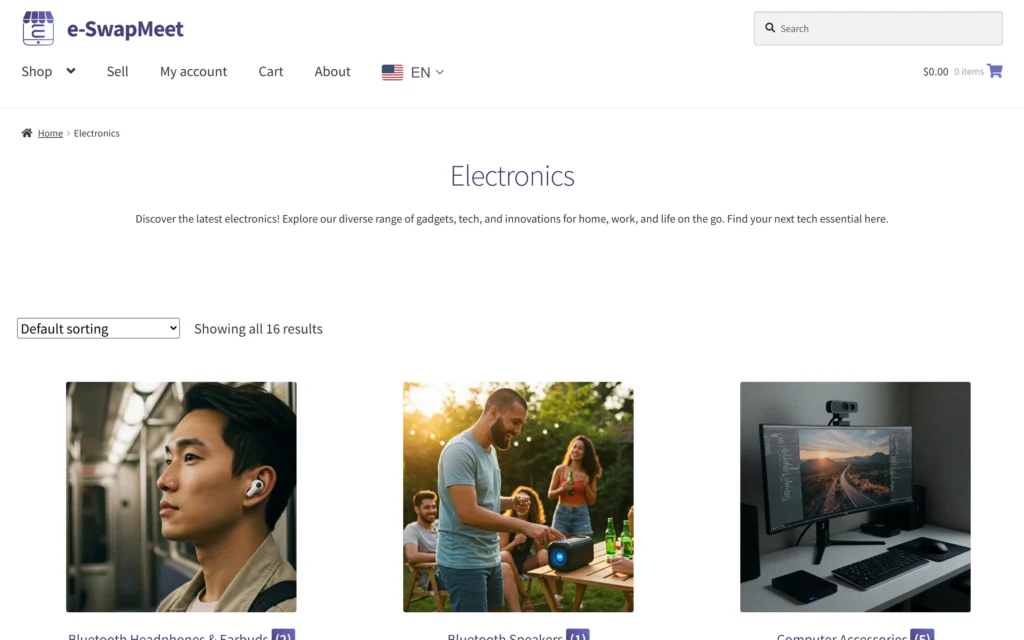
e-SwapMeet
A multi-vendor e-commerce marketplace I built and continue to operate. It connects independent sellers and shoppers through product discovery, vendor management, and online sales.
Full-Stack Engineer WordPress & WooCommerce

I am a full-stack web developer based in San Bernardino, California, with 13 years of experience building and maintaining websites, applications, and e-commerce platforms. My work ranges from enterprise-level systems to small business sites, supporting digital agencies, legal organizations, county government, and online stores.
I work across the stack, from object-oriented PHP and JavaScript to database design, API integrations, server configuration, and production deployments. That includes building new projects, improving existing platforms, and figuring out why something that used to work no longer does.
I approach each project with the experience of everyone who will use or depend on it in mind. That means the person visiting a site, whether they are a customer, potential client, or reader, as well as the admin or site owner working behind the scenes. It also means project managers and clients reviewing a report or testing a solution, and developers who may inherit my code. I want each of them to have a clear, dependable experience and to see the care behind the work. That consideration guides the decisions I make, from the way a feature behaves to the way I write code.
Some of my work involves taking over systems built by other developers and making sure they continue to work reliably. That means understanding someone else’s code, fixing what is broken, improving what is there, and taking responsibility for what happens next.
One unique example is an abandoned WooCommerce payment plugin for FastSpring, a payment processor that had no official WooCommerce plugin. I took over its development, rebuilt the entire 2.x architecture, fixed bugs, hardened payment processing, added features, and kept it compatible with newer WooCommerce versions and features. After about two years and ten releases, I still maintain and improve it as the project evolves.
Customer orders protected
A bot-cleanup rule would also have deleted 311 real customer accounts holding roughly $71,500 in orders. I stopped the rule before those accounts were removed, then checked the affected accounts and verified that all 311 were intact.
First protected pre-order payment
A payment-plugin upgrade silently removed pre-order authorization. I traced the change, identified 13 affected orders for the business to resolve, and built automated checks for future updates. The first fixed order was held, released, and charged for $5,999 in production.
Corrupted orders removed
A hosting migration split orders by line item and duplicated some batches. I removed 6,873 corrupted orders and their related data rather than carrying the bad records forward, then re-imported about 5,400 orders correctly.
I troubleshoot front-end issues across the browsers and devices people use, including Chrome, Firefox, Safari, Microsoft Edge, Opera, DuckDuckGo, Samsung Internet, and Brave. That includes differences between browsers on Windows, Android, macOS, and iOS.
I also work through the problems that show up at particular screen sizes. Layout, scrolling, forms, and media can behave differently on a phone than they do on a desktop. Sometimes an issue only appears on one browser or device.
When a problem doesn’t show up on my own setup, I narrow down the environment where it occurs and work from there.
I have handled production problems involving payment failures, processing bottlenecks, broken integrations, unauthorized access, and malicious code.
One WordPress store I support was compromised through an add-on that accepted an instruction without checking permissions. I traced the activity through hosting records, removed the unauthorized administrator account and hidden server-side files, checked the database and core files, rotated credentials, and tightened the site’s configuration. I also tested checkout with a live transaction. The site stayed online throughout, and the available records showed no customer data had been accessed.
Other production investigations have included:
I do not want to stop at getting a site working again. I want to understand what caused the problem and make sure the same gap is not left open.
I do not start by guessing at a fix. I work through the problem, make deliberate changes, and verify the result.
The details vary from project to project. The approach does not: understand the problem, make the right change, and verify it.
I use AI as part of my development team, but I do not hand over the responsibility for the work. I define the problem, set the direction, review the output, and make the final decisions.
I give each AI a specific role before assigning work. One acts as a project manager, another as a copywriter, and another as a junior developer. Each has a defined responsibility, clear expectations, and boundaries. That structure makes the collaboration more focused and gives every stage an opportunity for review before the next begins.
AI can speed up research, planning, writing, and development, but it still needs direction and oversight. I treat it as a team of specialized contributors, each with a defined role and responsibility.
The responsibility for what ships remains mine.
I also work on AI search optimization and on how websites can make their content more accessible to emerging search systems.
I enjoy building products, not just working on individual features.
A multi-vendor e-commerce marketplace I built and continue to operate. It connects independent sellers and shoppers through product discovery, vendor management, and online sales.

A social platform where I work as Front-End Developer. My work includes a standalone PHP progressive web application with separated front-end and back-end logic, reusable views, singleton patterns, and hook-style initialization. I also developed an Android WebView application that is ready for Play Store submission.
I prefer designing in the browser. I build prototypes in HTML and CSS so we’re working with an actual interface, not just a picture of one.
I lead web projects for a development department using Agile practices. I onboarded the department’s third junior developer and continue to mentor them. I also help maintain consistent coding standards and review changes before they merge.
It is important that the code makes sense to the next developer who has to work on it, not just the person who wrote it.
Want my resume? Send me a message and I will send it over.
Skills
The tools I use most, from WordPress and WooCommerce to payments, hosting and search.
Whether you need a new website or application, help improving an existing platform, a difficult technical problem investigated, or a developer to add to your team, I would like to hear about it.
Have a project, a problem, or a role in mind?
Get in touch